AI character animation from video
Motion transfer for characters: keep your cosplay, OC, VTuber, or influencer likeness, and drive poses, gestures, and body movement from a real reference video — not a text prompt. Output is a 720×1280 vertical MP4 ready for short-form.
From $0.50 per animation · Pay per success · Adults 18+
Character motion transfer — example
You choose the motion and the character; AI maps one onto the other.
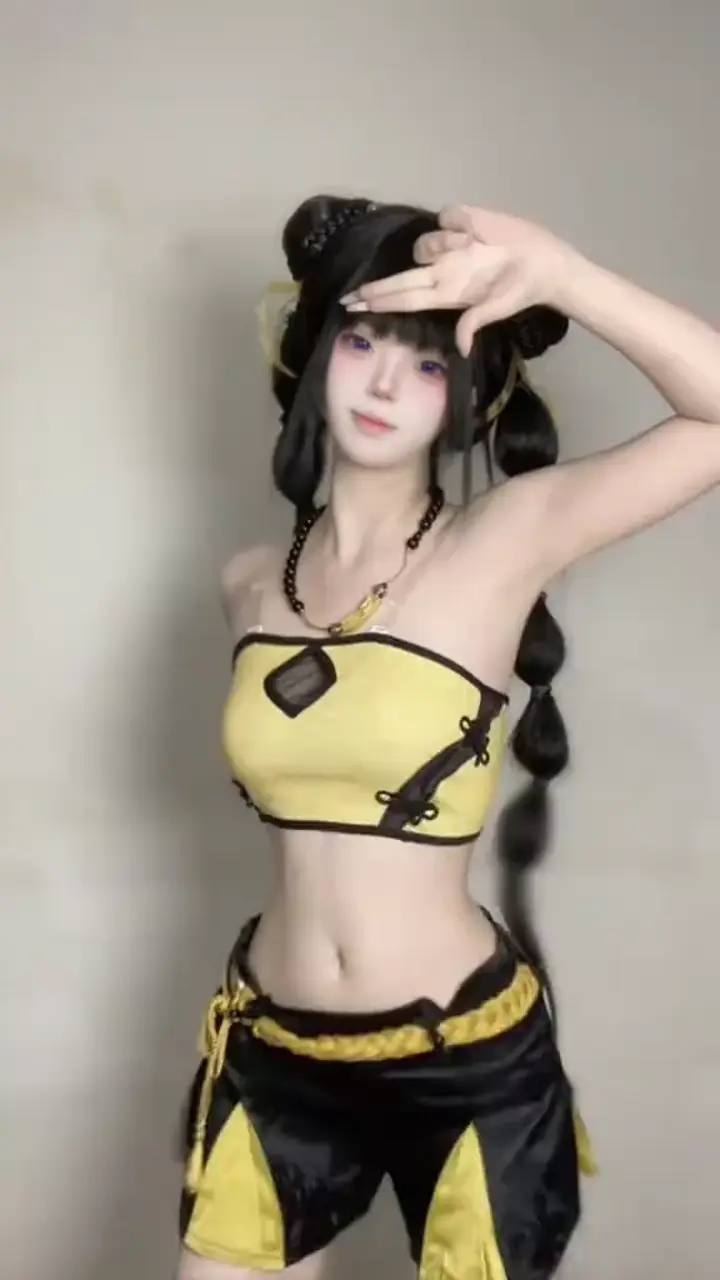
Pose, gesture, or dance performance
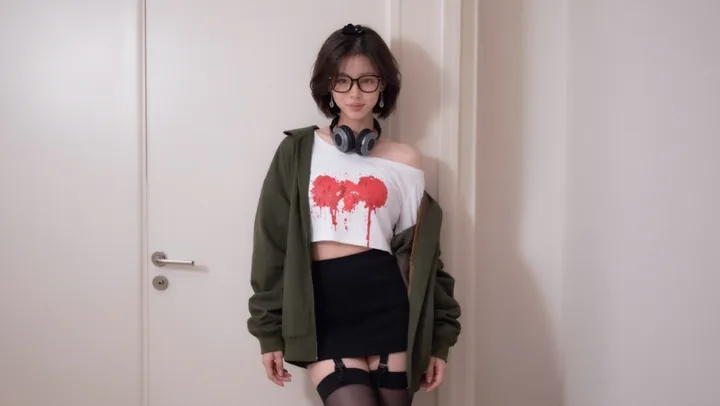
Cosplay, OC art, or portrait photo
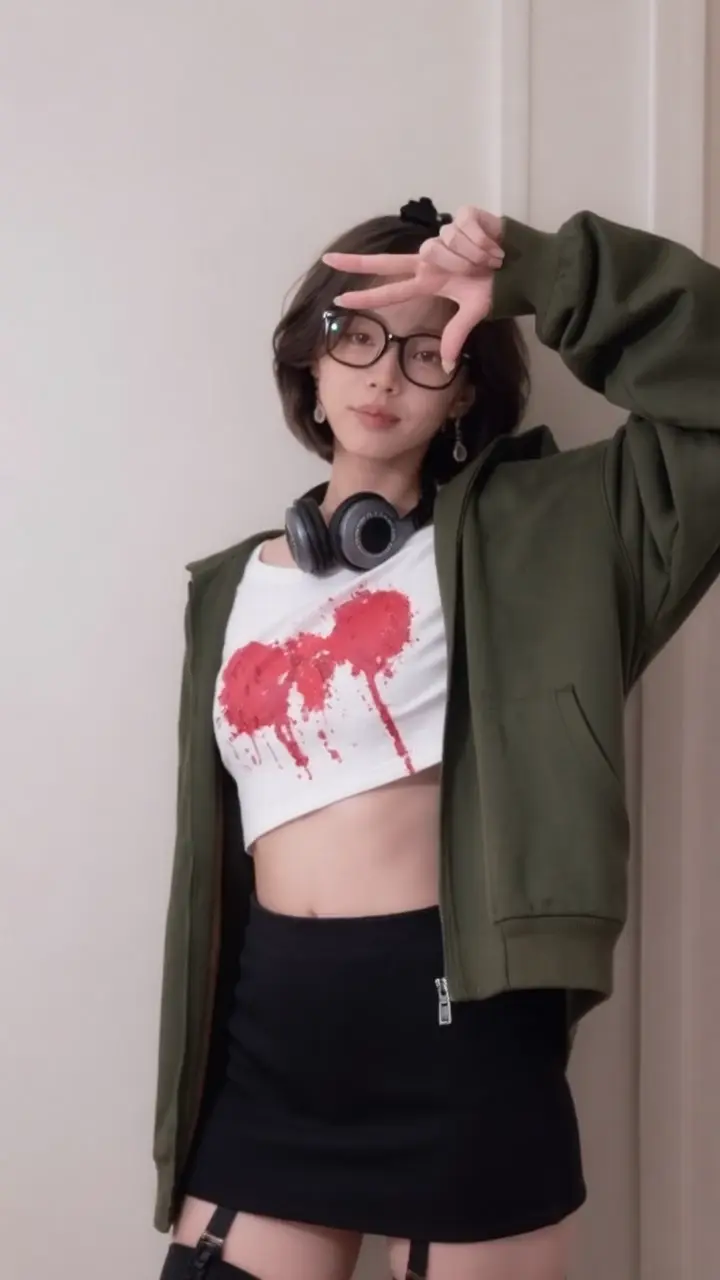
Your character performing the motion
What is AI character animation from video?
Traditional character animation needs rigs, keyframes, or motion-capture hardware. PhotoToDance uses reference-video motion transfer: upload a clip that shows the movement you want, plus a single image of your character. The pipeline maps timing and body motion onto that image and exports a short-form vertical MP4.
This page is for creators who care about identity control — cosplay characters, original characters, VTuber-style stills, influencer looks, or mascots — while borrowing motion from a real performance. Looking specifically for dance trends? Start with photo dance AI.
How to animate a character image from a video
- Sign in and open Studio
- Upload a reference MP4 (dance, gesture, walk cycle, or pose sequence — max 15 seconds)
- Upload your character PNG/JPG (clear limbs and torso improve transfer)
- Generate, download the 720×1280 MP4, then post or edit further
What you control vs what AI generates
- You control motion — the reference video defines choreography and timing
- You control appearance — the still image defines who appears on screen
- AI handles transfer — mapping reference motion onto your image frame by frame
- You control cost — pay per successful job; shorter clips cost less (pricing)
Motion transfer vs other animation methods
| PhotoToDance motion transfer | Rig / mocap | Text-to-video | |
|---|---|---|---|
| Character lock | Your uploaded still | Requires a 3D / live subject | Often invents a new face |
| Motion control | Exact reference clip | Performer or animator | Prompt-guessed motion |
| Setup time | Minutes in Studio | Hours to days | Fast, but unpredictable |
| Best for | Short-form character clips | Film / games / long form | Open-ended concepts |
Who this is for
- Cosplayers — one costume photo performing multiple routines
- OC / fan artists — still art that moves with a chosen performance
- VTuber-adjacent creators — still avatars driven by gesture or dance clips
- Brands — mascot or spokesperson stills acting out a scripted motion
Tips for better character motion transfer
- Prefer front-facing or ¾ character images with visible arms and hips
- Match framing: full-body motion references need full-body (or similar) character crops
- Avoid tiny subjects, heavy occlusion, or busy backgrounds that hide the silhouette
- You must have rights to the reference performance and permission for any real person’s likeness
Related tools
Dance trends: photo dance AI · TikTok workflow: AI TikTok dance generator · Instagram posting: Reels motion copy · Still edits: AI image editor
AI character animation — FAQ
Can I animate an illustrated character?
Yes — PNG or JPG character images work, including cosplay photos, influencer portraits, and stylized character art. Clear body visibility improves motion transfer quality.
What is motion transfer?
Motion transfer (or motion copy) means taking movement from a real video and applying it to a different subject — here, your still character image — so the character performs the same timing and poses without being filmed.
How long can the reference video be?
Up to 15 seconds per generation. Shorter clips (5–10 seconds) are faster and cost less. Pricing is $0.08 per second with a $0.50 minimum per completed video.
Is this the same as text-to-video?
No. Text-to-video invents motion from a written prompt. PhotoToDance copies motion from a real reference clip, so you keep precise control over choreography and timing while locking the character appearance to your image.
Is this only for dancing?
No — any short body motion works (gestures, walks, poses). Dance-heavy workflows are covered in depth on photo dance AI and TikTok dance AI.
Where do I generate videos?
Sign in, top up credits, then use Studio to upload your reference video and character image.